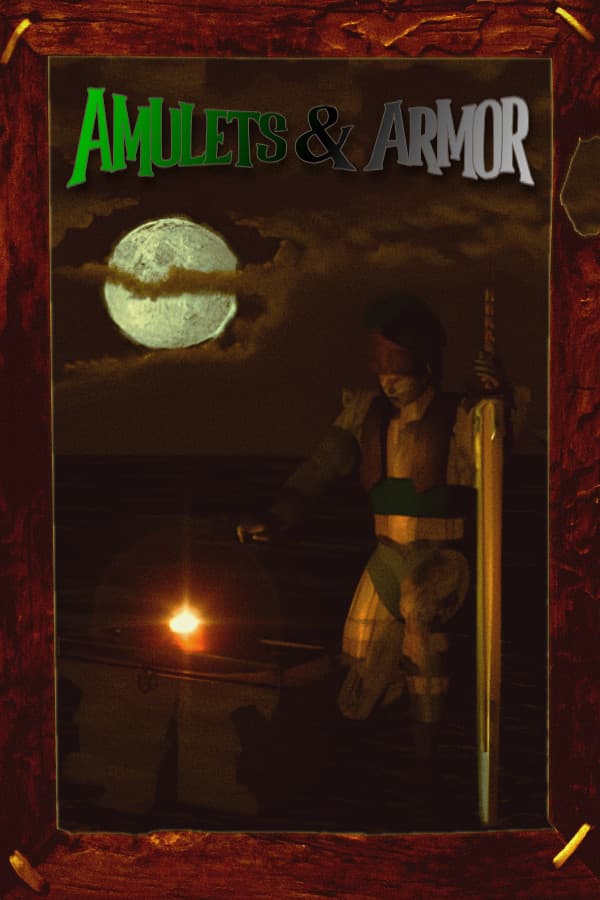

Amulets & Armor
aka Amulets and Armor
If you loaded up Amulets & Armor expecting another slick 1990s action game, you probably bounced off its unusual mix of dungeon crawling, hunger meters, and town menus within five minutes. Behind the awkward low-resolution graphics lies an ambitious title that sold fewer than a hundred copies on CD-ROM before vanishing into obscurity for over a decade.
What sitting down with Amulets & Armor actually feels like
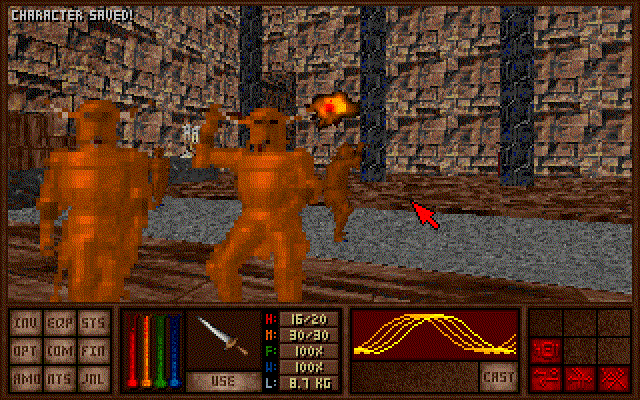
When you fire up the DOS version of Amulets & Armor, the initial impression is rough around the edges. Released in 1997 when 3D graphics were shifting toward hardware acceleration, this game operates in a strict 320x200 VGA resolution with 256 colors. Stepping into the catacombs of Castle Arius to stop the evil Necromancer Exiguus feels like stepping into a custom mod built by enthusiastic college students rather than a polished commercial product. Tree sprites in outdoor areas actively block your vision, and dropped inventory items disappear into pixelated floor textures.
The core loop combines fast real-time combat with classic dungeon survival. You spend your time exploring multi-chapter quests, swinging weapons or throwing spells at 2D sprite enemies while constantly monitoring your hunger and thirst meters. Combat turns chaotic quickly because enemy pathfinding is rudimentary at best, swarms of aggressive undead drift toward you with the pathfinding AI of confused vacuum cleaners. Key movement options feel sluggish on a standard keyboard, so steering with the mouse becomes mandatory if you hope to dodge fireballs or navigate tight corridors.
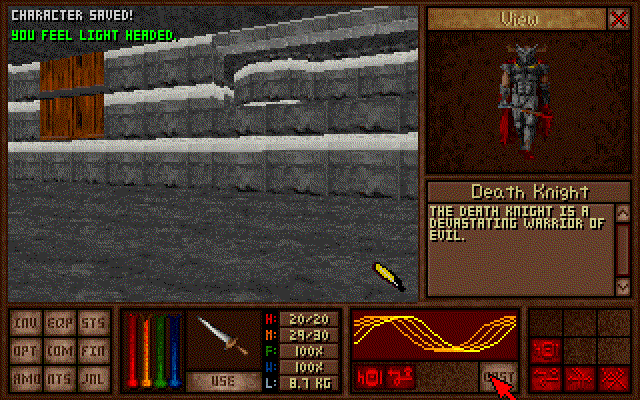
The interface relies on heavy status screens and inventory management. Instead of walking around open town hubs, you navigate quiet static menus outside of active levels to buy equipment, manage bank accounts, and rest at hostelries. The visual presentation struggles with depth perception, making it genuinely hard to tell a deep pit from a flat shadow until you step off the edge and take damage.
A custom engine, Doom WAD files, and fewer than a hundred sales
Development was spearheaded by David Webster, Eric Webster, and Janus Anderson, with lead programmer Lysle Shields building a custom 2.5D game engine from scratch over two years. The engine allowed for true room-over-room architecture, letting players walk above and below structural paths in ways that standard raycasters of the era could not handle. To store map geometry and structural layouts, the team utilized the familiar WAD file format made famous by Doom.
The original vision for the game was massive in scope, early plans even toyed with online multiplayer and online host environments. When publisher United Software Artists released the shareware CD-ROM, it included both standard MIDI music tracks and full Red Book CD audio for high-end sound cards. Commercial results were disastrous, however, and fewer than 100 physical copies were sold before the title disappeared entirely from store shelves.
It lay forgotten until a Let's Play series on Something Awful brought attention back to its strange design choices. That sudden groundswell of interest convinced the original developers to release the full source code and freeware game packages in 2013, alongside modern OpenGL source ports created by community programmers.
Eleven classes, Castle Arius, and dead men jumping
Character creation provides far more depth than most action games from the same period. You choose from eleven distinct starting classes that dictate your stats, spell capabilities, and gear restrictions:
- Citizen: A basic blank slate with low starting stats.
- Knight: Heavy armor user built for direct melee combat.
- Mage: Fragile casting class focused on offensive spells.
- Warlock: Mixed caster with balanced physical and magic skills.
- Priest: Defensive spellcaster specializing in holy magic and healing.
- Rogue: Fast movement with light armor and stealth tendencies.
- Archer: Ranged combat specialist dependent on bow ammunition.
- Sailor: Hybrid physical class with balanced attributes.
- Paladin: High armor user capable of casting holy magic and self-healing.
- Mercenary: Aggressive physical fighter with high health pools.
- Magician: Utility spellcaster reliant on temporary flight and light spells.
Among these options, the Paladin is widely considered the most effective class in the game, providing enough health to survive messy melee brawls alongside healing magic to counter the lack of early health potions.
The underlying code contains some astonishing bugs that players learned to exploit. If your character dies during a level, keyboard movement locks up completely, but mouse controls remain active. By holding down mouse buttons, you can jump and hop your dead corpse across the level toward the exit portal. If your corpse reaches the exit zone, the game advances you to the next chapter and revives your character with full health, though your entire inventory remains sitting on the floor where you originally died.
Play Amulets & Armor free in your browser right now
The visual design was messy even for 1997, the sound effects grow grating after extended play sessions, and the key bindings require patience to master. Yet for fans of complex first-person Action RPG design, managing resources, learning spells, and tackling multi-part dungeon runs brings plenty of fun. Few PC titles mixed fast-paced arcade slaughter with hardcore survival mechanics quite like this.
You can play Amulets & Armor online free in your browser right now, with nothing to install and no configuration steps. Pick the Paladin class, grab some food at the inn, and run through the opening chapter of Castle Arius to experience one of the most unusual shareware projects ever preserved.