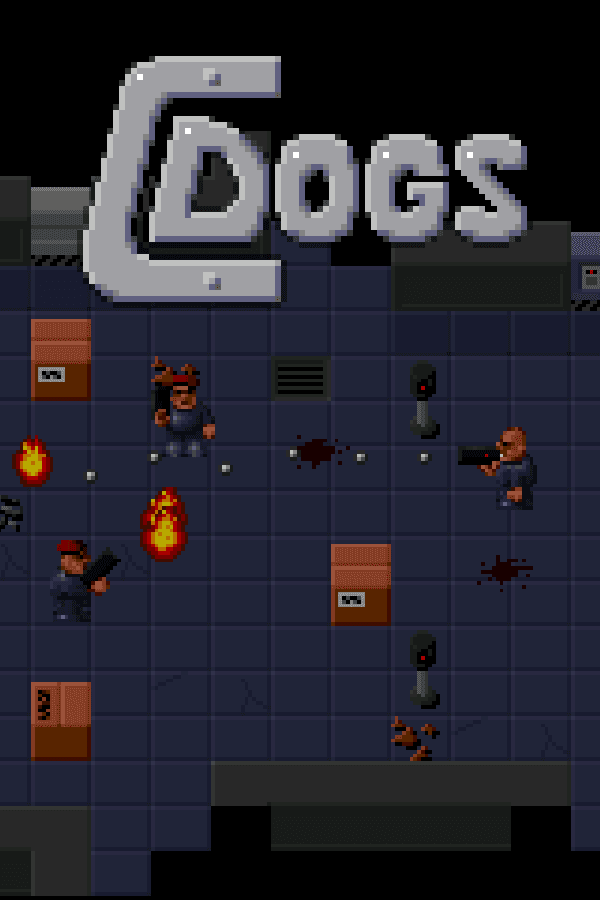

When Ronny Wester released C-Dogs in 1997, he turned his modest top-down run-and-gun shooter into one of the most editable top-down action games on MS-DOS. You pick a loadout, drop into a maze of doors and color-coded security cards, and mow down space orcs while trying very hard not to vaporize the innocent civilians standing right behind them.
Breaking past the 16-bit ceiling of Cyberdogs
Back in 1994, Swedish developer Ronny Wester gained a loyal following with Cyberdogs, a shareware top-down shooter that proved surprisingly addictive despite its tight technical boundaries. That original game ran in 16-bit protected mode, which meant strict memory limits constantly constrained how large levels could be, how many sprite graphics could fit in memory, and how much weapon variety could exist in a single mission. To fix those underlying bounds, Wester rebuilt his engine from scratch for 32-bit DOS, delivering C-Dogs in 1997 as a completely free follow-up.
The leap to 32-bit architecture transformed how the top-down perspective felt in motion. The view uses a diagonal-down orientation that reveals immediate hallways while leaving corners shrouded until you round them. Environments expanded into large multi-room complexes filled with destroyable scenery, functional keycard doors, and distinct factions wandering the corridors simultaneously. Instead of selling the upgrade through standard retail channels, Wester released the game under a freeware license, letting anyone with a Pentium processor and a Sound Blaster card jump straight into the carnage.
The technical shift also introduced smoother character movement and enhanced loadout mechanics. Before entering a mission, you step onto an outfitting screen where you customize your sprite's appearance and select a specialized arms package, choosing from a arsenal that includes high-capacity machine guns, explosives, a combat knife, and heavy energy weapons. Rather than hunting down ammunition pick-ups while dodging enemy fire, your firearms carry unlimited ammunition, forcing you to think about weapon choice and positioning rather than hoarding bullets.
How high-speed movement and trigger control keep C-Dogs tactical
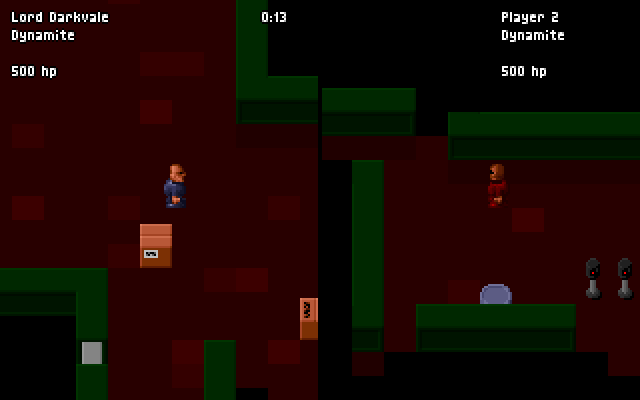
A typical run through this action game feels fast, chaotic, and heavily focused on spatial awareness. You drop into a facility, scan your objective list, and begin clearing rooms. While ammo is infinite, holding down the trigger continuously incurs a direct score penalty, punishing spray-and-pray habits. To stay alive against heavy incoming fire, holding the Enter key while tapping a movement arrow triggers a high-speed slide roll, letting you zip past dangerous choke points or slide straight under incoming energy bolts.
Switching weapons quickly on the move requires muscle memory. Tapping the Enter key while standing completely still cycles through your carried arms, forcing you to pick moments of cover before swapping from a close-range shotgun to a room-clearing grenade launcher. You have to evaluate rooms before bursting inside, because levels host three distinct classes of entities:
- Hostile enemies: Space orcs, armed mercenaries, and aggressive security guards who track your position as soon as you step into their line of sight.
- Friendly NPCs: Allied soldiers who roam the map independently, actively shooting hostiles and drawing crossfire away from your character.
- Neutral civilians: Bystanders who wander passively through hallways and objective rooms, serving as human shields that dock your final score heavily if caught in explosive blasts.
That civilian presence fundamentally changes how heavy weaponry works in close quarters. Blasting a doorway with a rocket launcher might wipe out three space orcs instantly, but if a scientist was standing behind them, your mission payout takes a severe hit. The level design leans heavily on color-coded keycards (yellow, green, blue, and red) to gate progress. You frequently find yourself holding off a wave of guards in a narrow corridor while searching for the specific disk or motherboard needed to unlock the extraction zone door.
Five core campaigns and a community editor that made C-Dogs endless
The base package shipped with five built-in campaigns, ranging from straight military raids to the narrative-focused Ogre Rampage storyline. Each operation opens with a text briefing outlining primary targets, such as destroying computer terminals, retrieving stolen floppy disks, rescuing hostages, or eliminating specific boss targets before reaching the pickup zone. While LinuxUser magazine pointed out in a retrospective review that the single-player mission structure could feel simple and its background fiction fairly light, the immediate gunplay and flexible campaign editor kept players hooked for months.
By including a simple built-in mission editor, Ronny Wester handed the keys of the game over to its community. Players quickly created and distributed over one hundred custom user campaigns across early file archives and web rings. If a player grew tired of the official campaigns, they could construct custom levels, alter enemy placement, tweak weapon attributes, and script new mission objectives without touching a line of code.
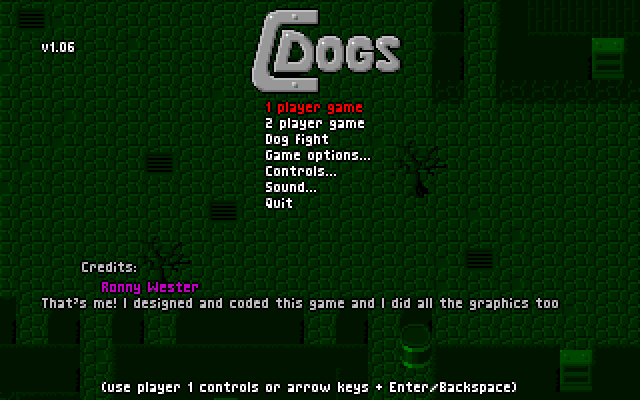
Local multiplayer added even more staying power to the package. Beside two-player cooperative campaign play, the game featured a split-screen deathmatch mode known as "dogfight." Two players crammed onto one keyboard or split between keyboard and joystick could battle across tight, trap-filled maps. A subtle issue in the original DOS build was joystick autodetect interfering with menu navigation on modern setups, though pressing the F9 key instantly resets input configs back to standard keyboard controls.
The lasting impact of the 2002 source code release
In 2002, Wester took the generous step of releasing the full source code online, followed later by placing the game's graphics assets under a Creative Commons license. That source drop birthed the C-Dogs SDL project, headed by Jeremy Chin and Lucas Martin-King, which ported the entire engine off old MS-DOS structures and brought it natively to modern platforms like Linux, Windows, macOS, and mobile operating systems. What began as an indie effort on a single PC expanded into a long-running open-source standard.
Even with modern source ports available everywhere, playing this classic on its native OS environment retains a distinct charm. The punchy sound effects, bright pixel graphics, and tight movement speeds represent a peak moment for late nineties freeware releases. It sits comfortably alongside top-down shooters of the late nineties, trading cinematic flair for pure arcade responsiveness and user creation tools.
Play C-Dogs online and dive straight into the action
If you want to experience an influential piece of late nineties freeware design, you can play C-Dogs free in your browser right now. There are no drivers to configure or extra files to unpack before launching your mission. The full C-Dogs MS-DOS game runs directly in your browser window, letting you customize your soldier, pick your starter guns, and test your slide-roll timing within seconds.
Start up the first mission, grab a machine gun from the armory, and pay close attention to your targets when sweeping room to room. The slide roll alone makes dodging enemy fire genuinely satisfying, and managing your score against stray civilian casualties adds just enough friction to keep every gunfight tense. Whether you want to beat the original five campaigns or jump into local two-player splitscreen with a friend, you can play C-Dogs online in one click below and start clearing corridors immediately.
How C-Dogs is played — the keys the game listens to, grouped by what they do.
- Movement
- Action
- Weapons & items
- Interface
Highlighted keys are mapped — hover or tap one to see what it does.
Controls can be remapped in the in-game Controls menu. Press F9 if joystick detection interferes with keyboard controls.
Players' controls
Touch and gamepad controls
The on-screen keyboard and gamepad mapping the browser player uses on a phone, a tablet or a controller, as opposed to the real keys above. $PRO members make their own in the player and share them here; anyone can pick one to play with.
Make your own touch controlsPRO
- 1Open the editorSign in below, then pick what to make. The game starts with the editor open over it.
- 2Place your keysAdd keys and drag them where your thumbs rest, or map a controller's buttons. Test plays the game with them; Save keeps them, and you play with them from then on.
- 3Share themShare them right after saving in the game, or name and share them here. Players vote, and the best become this game's controls for everyone.
Go PROSee how it worksSign in+20 XP for sharing · +50 XP if yours become the game's own
- The game's own controlsKeyboardGamepadWhat every player starts with.In use
2 screenshots
From the archive
No reviews yet
Tell the community what you think of C-Dogs. Reviews are public and tied to your username.
No archived manuals for C-Dogs yet
No manuals archived for this title yet. Sign in to upload the first scan.
Cheat codes, console commands and memory pokes for C-Dogs — each one verified and attributed.
Sign in to submitNo cheats yet for this title
Know a working cheat, poke or trainer? Add it with the button above. Moderators check every entry before it goes live.
No archived soundtrack for C-Dogs yet
No soundtrack archived for this title yet. Sign in to upload the first rip.
No save states for C-Dogs yet
No save states for this title yet. Sign in to share one.
Discussions
Sign in to post- Threads0
- Total posts0
- Online now6
Community · C-Dogs
Who's contributing, and what's new
- Reviews0
- Threads0
- Uploadsapproved0
- Contributors0
Recent activity
Nothing here yet
Reviews, discussion threads and approved uploads appear here as members add them.