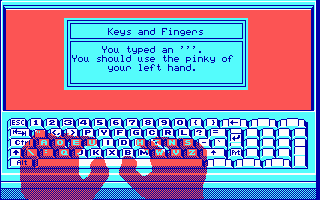
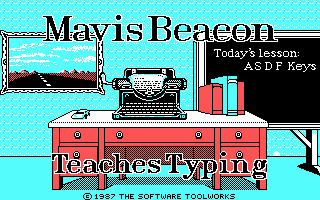
When you load Mavis Beacon Teaches Typing! on MS-DOS, you are placed in front of a digital chalkboard with two wireframe hands sitting on an on-screen keyboard waiting for your next keystroke.
You start at the homerow with the classic "ASDF" keys, typing steady pairs of letters as a metronome clicks along to enforce a proper typing rhythm. The software monitors your keystrokes in real time, highlighting errors on the chalkboard while two floating ghost hands show exactly which finger belongs on which key. If you are accustomed to hunting and pecking, the software forces you to look at the screen instead of your physical hands by mirroring every finger movement across the virtual layout.
Beyond the standard QWERTY layout, the software offers complete support for the Dvorak keyboard layout right from the options menu. The lesson plan adjusts automatically as you work through different key groups, building up from isolated character pairs to complete sentences and complex punctuation. While early lessons feel dry, real-time meters keep track of your words per minute, typing accuracy, and overall completion rate every second you type.
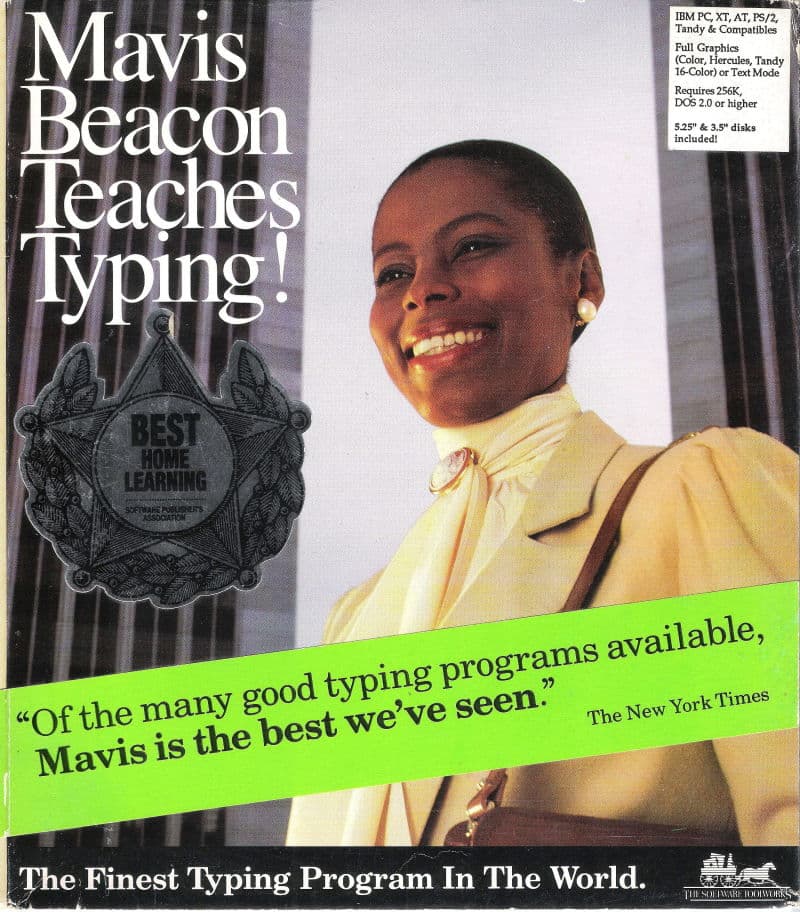
Following the commercial success of Chessmaster 2000, developers Walt Bilofsky, Michael E. Duffy, and Norman Worthington designed the software for The Software Toolworks, Inc. with strategic input from talk show host Les Crane. To make an instructional tool feel personal, the team created a fictional instructor named after singer Mavis Staples and hired Haitian-born model Renee L'Esperance for the packaging photography. The character was so convincing that customers frequently phoned offices asking to speak with Mavis directly.
Released in 1987, the educational package stood out on store shelves due to its polished presentation. On a standard DOS machine displaying primitive CGA graphics, the program managed to present clean fonts and clear hand overlays that remained perfectly readable on humble monitors. Reviewers at Old-Games.com later noted that its four-color presentation was surprisingly very pleasant, proving that high visual clarity mattered far more than visual flair for a typing program.
The main highlight for anyone looking for actual gaming action is the built-in Arcade Racing mode. Instead of looking at a quiet chalkboard, the screen shifts to a first-person perspective behind the dashboard of a car on a three-lane highway. Opposing drivers line up alongside you, and your vehicle advances down the road only as fast as you can accurately type the lines of text scrolling across the top of the screen.
Typing mistakes translate directly into dropped speed, allowing competing cars to pull ahead while sound effects mimic your engine lagging behind. As you complete races, the software scales up the skill level of rival drivers and feeds you denser blocks of text. That setup disguises plain typing drills as a tense drag race where a single misplaced pinky key can cost you the lead position.
When you finish a lesson or a session in the arcade, the program presents a statistical breakdown that put contemporary utility software to shame. You can inspect over 20 distinct progress graphs tracking speed changes, specific error rates per key, and overall improvement across multiple sessions. This detailed tracking makes it easy to spot whether your left hand is lagging behind your right or if specific number keys consistently interrupt your typing flow.
The program eventually became a fixture across North American school computer labs, launching a software line that expanded across several platforms and computer generations. What keeps the original DOS release functional today is its strict focus on responsive typing feedback without unnecessary fluff. The CGA graphics might look plain next to later multimedia titles, but the instant visual feedback from the ghost hands and real-time WPM meters remains completely practical.
The primary annoyance you will run into is the unforgiving pacing of the higher-level racing tracks. A small cluster of typos during a high-speed sprint causes your car to stall so rapidly that catching up to rival drivers becomes almost impossible before the finish line. Even so, testing your fingers against the arcade track is a solid way to measure your typing speed.
You can play Mavis Beacon Teaches Typing! free in your browser right now, with full support for your keyboard and no setup required. Load up the MS-DOS game, head straight into the Arcade Racing mode, and see if your touch typing skills can outpace the rival drivers on the pixelated highway.
When you load Mavis Beacon Teaches Typing! on MS-DOS, you are placed in front of a digital chalkboard with two wireframe hands sitting on an on-screen keyboard waiting for your next keystroke.
You start at the homerow with the classic "ASDF" keys, typing steady pairs of letters as a metronome clicks along to enforce a proper typing rhythm. The software monitors your keystrokes in real time, highlighting errors on the chalkboard while two floating ghost hands show exactly which finger belongs on which key. If you are accustomed to hunting and pecking, the software forces you to look at the screen instead of your physical hands by mirroring every finger movement across the virtual layout.
Beyond the standard QWERTY layout, the software offers complete support for the Dvorak keyboard layout right from the options menu. The lesson plan adjusts automatically as you work through different key groups, building up from isolated character pairs to complete sentences and complex punctuation. While early lessons feel dry, real-time meters keep track of your words per minute, typing accuracy, and overall completion rate every second you type.
Following the commercial success of Chessmaster 2000, developers Walt Bilofsky, Michael E. Duffy, and Norman Worthington designed the software for The Software Toolworks, Inc. with strategic input from talk show host Les Crane. To make an instructional tool feel personal, the team created a fictional instructor named after singer Mavis Staples and hired Haitian-born model Renee L'Esperance for the packaging photography. The character was so convincing that customers frequently phoned offices asking to speak with Mavis directly.
Released in 1987, the educational package stood out on store shelves due to its polished presentation. On a standard DOS machine displaying primitive CGA graphics, the program managed to present clean fonts and clear hand overlays that remained perfectly readable on humble monitors. Reviewers at Old-Games.com later noted that its four-color presentation was surprisingly very pleasant, proving that high visual clarity mattered far more than visual flair for a typing program.
The main highlight for anyone looking for actual gaming action is the built-in Arcade Racing mode. Instead of looking at a quiet chalkboard, the screen shifts to a first-person perspective behind the dashboard of a car on a three-lane highway. Opposing drivers line up alongside you, and your vehicle advances down the road only as fast as you can accurately type the lines of text scrolling across the top of the screen.
Typing mistakes translate directly into dropped speed, allowing competing cars to pull ahead while sound effects mimic your engine lagging behind. As you complete races, the software scales up the skill level of rival drivers and feeds you denser blocks of text. That setup disguises plain typing drills as a tense drag race where a single misplaced pinky key can cost you the lead position.
When you finish a lesson or a session in the arcade, the program presents a statistical breakdown that put contemporary utility software to shame. You can inspect over 20 distinct progress graphs tracking speed changes, specific error rates per key, and overall improvement across multiple sessions. This detailed tracking makes it easy to spot whether your left hand is lagging behind your right or if specific number keys consistently interrupt your typing flow.
The program eventually became a fixture across North American school computer labs, launching a software line that expanded across several platforms and computer generations. What keeps the original DOS release functional today is its strict focus on responsive typing feedback without unnecessary fluff. The CGA graphics might look plain next to later multimedia titles, but the instant visual feedback from the ghost hands and real-time WPM meters remains completely practical.
The primary annoyance you will run into is the unforgiving pacing of the higher-level racing tracks. A small cluster of typos during a high-speed sprint causes your car to stall so rapidly that catching up to rival drivers becomes almost impossible before the finish line. Even so, testing your fingers against the arcade track is a solid way to measure your typing speed.
You can play Mavis Beacon Teaches Typing! free in your browser right now, with full support for your keyboard and no setup required. Load up the MS-DOS game, head straight into the Arcade Racing mode, and see if your touch typing skills can outpace the rival drivers on the pixelated highway.
How Mavis Beacon Teaches Typing! is played — the keys the game listens to, grouped by what they do.
Highlighted keys are mapped — hover or tap one to see what it does.
The full key map is incomplete as detailed reference materials were unavailable.
The on-screen keyboard and gamepad mapping the browser player uses on a phone, a tablet or a controller, as opposed to the real keys above. $PRO members make their own in the player and share them here; anyone can pick one to play with.
Cheat codes, console commands and memory pokes for Mavis Beacon Teaches Typing! — each one verified and attributed.
Sign in to submitHow Mavis Beacon Teaches Typing! is played — the keys the game listens to, grouped by what they do.
Highlighted keys are mapped — hover or tap one to see what it does.
The full key map is incomplete as detailed reference materials were unavailable.
The on-screen keyboard and gamepad mapping the browser player uses on a phone, a tablet or a controller, as opposed to the real keys above. $PRO members make their own in the player and share them here; anyone can pick one to play with.
Cheat codes, console commands and memory pokes for Mavis Beacon Teaches Typing! — each one verified and attributed.
Sign in to submit