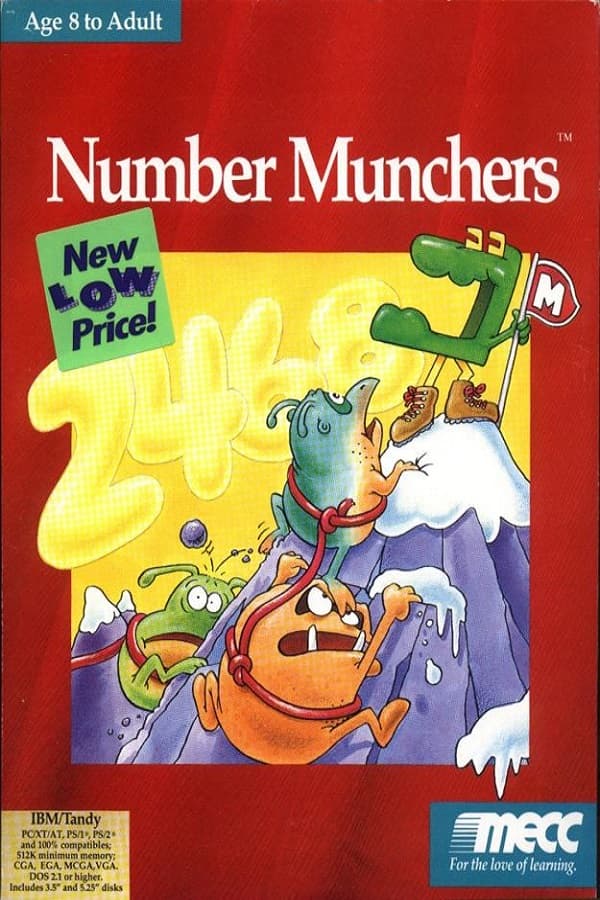

Number Munchers
If you played Number Munchers on an old school PC, you probably remember the sudden panic of miscalculating a factor while a hostile monster closed in on your grid square.
Solving arithmetic on a five-by-six grid
In the mid-1980s, classroom software struggled to keep students focused on basic math drills. Most instructional programs were little more than digital flashcards that rewarded correct answers with static text. Designer R. Philip Bouchard, who had previously led the development of The Oregon Trail at MECC, recognized that drilling math required physical tension and instant feedback. The result was a grid-based eating game originally made for the Apple II in 1986 as a follow-up to Word Munchers, which was later brought to IBM compatibles in 1990.
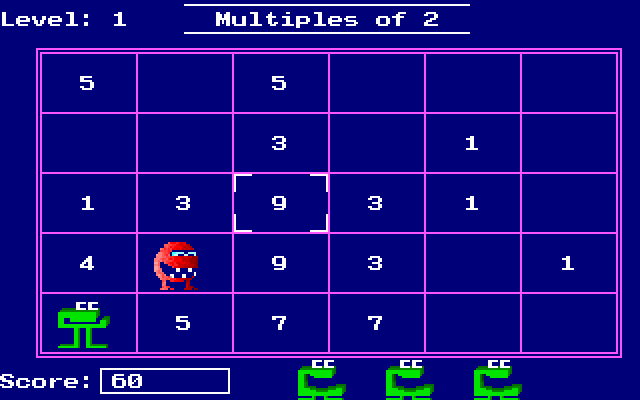
When you launch the 1990 MS-DOS release, you control the Muncher, a small green creature deposited onto a board made of five rows and six columns. At the top of the display, a target rule dictates which numbers are valid targets. Your job is to move across the grid, identify every square that matches the rule, and press the space bar to eat it. Moving around uses either the standard arrow keys or early keyboard schemes like I/J/K/M and A/Z. PC speaker toggles respond to Alt + S, keeping the audio limited to simple blips and hums that sound identical whether you run a bare-bones system or a Sound Blaster card.
The screen fills with plain numbers or short mathematical expressions depending on the selected category. Target rules cover five distinct mathematical operations:
- Multiples, where you pick numbers that divide evenly by a given target value
- Factors, where you seek out whole numbers that multiply together to reach a specified total
- Primes, where you must isolate numbers greater than one that have no positive divisors other than one and themselves
- Equality, where you evaluate mathematical expressions to find those that equal a given number
- Inequality, where you identify equations or values that are greater or less than a specified target
Troggles make simple arithmetic stressful
Left alone on the board, calculating factors would be a calm exercise. To turn arithmetic into an arcade exercise, the game introduces Troggles, a family of hostile creatures that march across the board to eat numbers, change values, or devour your Muncher on contact. Each Troggles variety behaves differently, forcing you to adjust your path across the grid in real time.
Reggae Troggles move in predictable straight lines, while Worker Troggles alter the board layout by eating numbers and dropping new ones in their place. Smart Troggles actively hunt the Muncher down by tracking your movements across rows. Helper Troggles clear entire rows of correct numbers, occasionally ruining a high-scoring run, while Safe Troggles leave temporary shield zones on the board. Stepping onto these safe squares gives you a brief moment of total protection, letting you plan your next move across dangerous rows.
Completing three or four boards triggers short animated cutscenes where the Muncher outsmarts the monsters in slapstick fashion. These interludes end with the Muncher playing a short "Nyah-nyah-nyah-nyah-nyah-nyah!" victory tune through the system speaker before throwing you back into the grid. Clearing boards quickly and maintaining high accuracy earns points toward a spot in the local Hall of Fame leaderboard, which was the primary competition hook in computer labs and homes alike.
Where Number Munchers hits a sudden wall
The simple mechanics make the game easy to pick up, but the jump between difficulty settings is brutally steep. Low difficulty levels present basic single-digit multiples that anyone can solve in a second. Selecting higher difficulty brackets dumps large three-digit equations and complex prime numbers onto the board, forcing you to calculate multi-step arithmetic while fast-moving Smart Troggles corner you in a grid intersection.
Another point of frustration is the complete lack of explanatory feedback when you make a mistake. If you eat an incorrect answer, such as mistakenly gobbling up the number 1 during a Primes board, the game instantly deducts a life and removes your character from the grid. It never explains why 1 is not a prime number or where your math went wrong, leaving younger players to guess their mistake while under the clock. This design creates an unforgiving wall where a single slip resets your score completely.
Despite these sharp difficulty spikes, the core loop strikes a fine line between educational drills and real action, a balance often highlighted in retrospective reviews on outlets like Ancient DOS Games. It strips away story elements and complex power-ups to focus entirely on rapid visual evaluation. The decision by MECC to publish both a Consumer Version for home computers and a School Version for classroom networks helped establish it alongside spin-offs like Fraction Munchers and Super Munchers.
Play Number Munchers online in your browser
As an early example of educational games on DOS, the game holds up because its core arcade hook relies entirely on pure player focus rather than flashy graphics. The controls are responsive, the board layouts require constant visual scanning, and dodging enemies while solving equations under time pressure creates genuine arcade tension.
You can play Number Munchers free in your browser right now, with no installation or setup necessary. Jump straight onto the grid, choose your target mathematical category, watch out for roaming Smart Troggles, and see how high you can climb on the board before your lives run out.