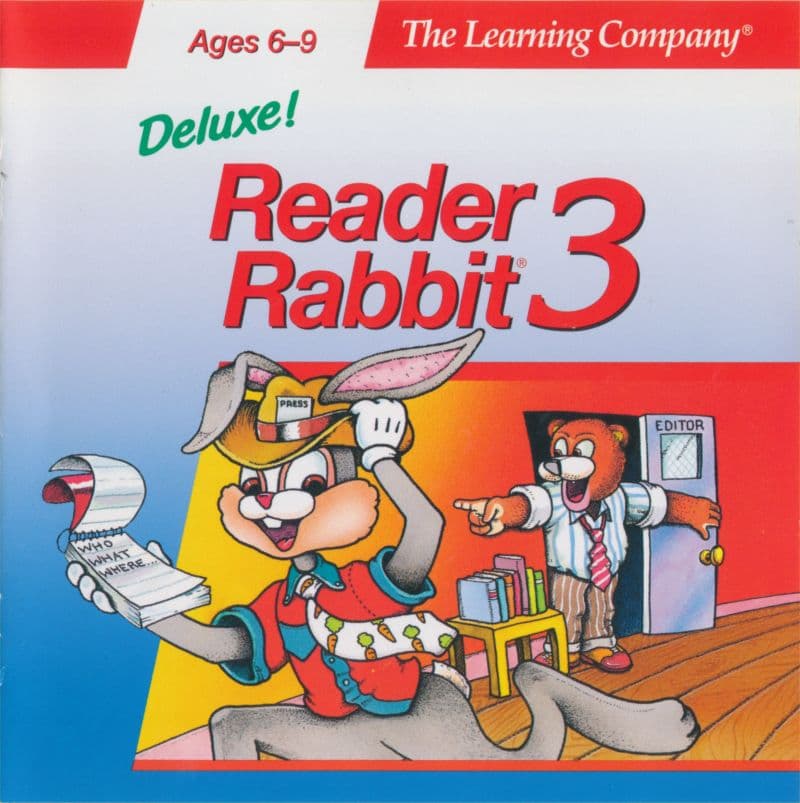
When you report for work at the Daily Skywriter News Company in Reader Rabbit 3, your main tool is not a weapon, but a sharp eye for sentence structure. The 1993 MS-DOS title turned grammar exercises into a surprisingly structured newsroom job for young players.
Sorting sentence parts at the Daily Skywriter
You play as Reader Rabbit, traveling to World-ville to volunteer as a rookie news reporter. The paper needs stories, and every story needs clear grammar. Instead of jumping on platforms or dodging enemies, you complete tasks by identifying parts of speech.
The core loop asks you to break down sentences into distinct components. You identify who, what, where, why, how, did what, and does what. Over 200 unique news stories fill the game, giving you plenty of text to sort through.
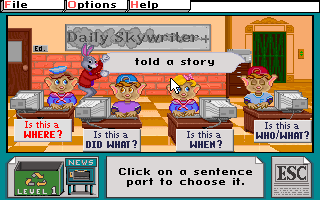
I found that the immediate feedback helps clarify how subjects and verbs fit together. When you pick the right phrase for a reporter, the paper moves one step closer to publication. It is a simple concept, but it keeps the mechanical rhythm moving fast.
Four activities that build a full front page in Reader Rabbit 3
The progression relies on four primary newsroom assignments. Completing a story in each activity earns you a column for the paper.
- What's the Scoop?: Assign individual phrases to reporters by answering core question types like who, when, and where.
- Clue Hounds: Fly around town with Wilma and Orville Wright in their airplane, using a secret decoder to solve mysteries.
- Sneak Peek: Help Sneaker Mole build movie reviews by ordering sentence parts correctly on her screen, which unlocks short animated clips.
- Ed Words: Ride a bicycle across town with Ed the editor to fill in missing blanks in his daily column, or type custom phrases.
Once you finish a story in all four sections, you visit the Printing Press. The reward is a complete, custom newspaper page that you can view on screen or print out on paper.
Upgrading old formulas into a cohesive world
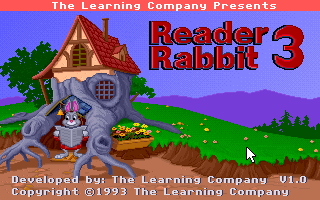
Developed and published by The Learning Company, Inc., this release was built as a full visual makeover of their 1986 text title Writer Rabbit. The developers abandoned abstract drills in favor of a central town setting with real characters.
In 1993, early PC sound cards gave these characters simple digitized voice lines and clear sound effects. Comparing this to older PC speaker titles shows how much presentation had improved for educational software. Flying with Orville and Wilma or watching Sneaker Mole's movie clips felt like a real reward for doing your homework.
The limits of newsroom repetition and static puzzles
The main issue with the design is the fixed difficulty floor. Once a player grasps how to separate a verb phrase from a noun phrase, the challenges rarely scale up. There are no surprise difficulty spikes, no secret cheat codes, and no hidden levels to find.
If you already understand basic grammar, working through dozens of stories can feel like administrative chores. You are doing the exact same mechanical matching in minute thirty as you were in minute five. That predictable structure keeps it accessible for ages six to nine, but older kids will hit a wall of repetition quickly.
How to play Reader Rabbit 3 free in your browser
This entry holds up as a clean, focused reading tool that respects a child's intelligence. It avoids cheap gimmicks and concentrates entirely on sentence mechanics. Anyone looking for a quiet, early-90s PC experience will find plenty of historical charm in World-ville.
You can play Reader Rabbit 3 online right now in your web browser. The MS-DOS game runs directly in your window with no extra setup or software required. Jump into the editor's chair, match your first set of phrases, and see if you can get your front page printed today.
Players' controls
Touch and gamepad controls
The on-screen keyboard and gamepad mapping the browser player uses on a phone, a tablet or a controller, as opposed to the real keys above. $PRO members make their own in the player and share them here; anyone can pick one to play with.
Make your own touch controlsPRO
- 1Open the editorSign in below, then pick what to make. The game starts with the editor open over it.
- 2Place your keysAdd keys and drag them where your thumbs rest, or map a controller's buttons. Test plays the game with them; Save keeps them, and you play with them from then on.
- 3Share themShare them right after saving in the game, or name and share them here. Players vote, and the best become this game's controls for everyone.
Go PROSee how it worksSign in+20 XP for sharing · +50 XP if yours become the game's own
- The game's own controlsNone yet: played with a real keyboard only.In use
2 screenshots
From the archive
No gameplay video yet
No gameplay video for Reader Rabbit 3 yet. Sign in to add one.
No reviews yet
Tell the community what you think of Reader Rabbit 3. Reviews are public and tied to your username.
No archived manuals for Reader Rabbit 3 yet
No manuals archived for this title yet. Sign in to upload the first scan.
Cheat codes, console commands and memory pokes for Reader Rabbit 3 — each one verified and attributed.
Sign in to submitNo cheats yet for this title
Know a working cheat, poke or trainer? Add it with the button above. Moderators check every entry before it goes live.
No archived soundtrack for Reader Rabbit 3 yet
No soundtrack archived for this title yet. Sign in to upload the first rip.
No save states for Reader Rabbit 3 yet
No save states for this title yet. Sign in to share one.
Discussions
Sign in to post- Threads0
- Total posts0
- Online now6
Community · Reader Rabbit 3
Who's contributing, and what's new
- Reviews0
- Threads0
- Uploadsapproved0
- Contributors0
Recent activity
Nothing here yet
Reviews, discussion threads and approved uploads appear here as members add them.