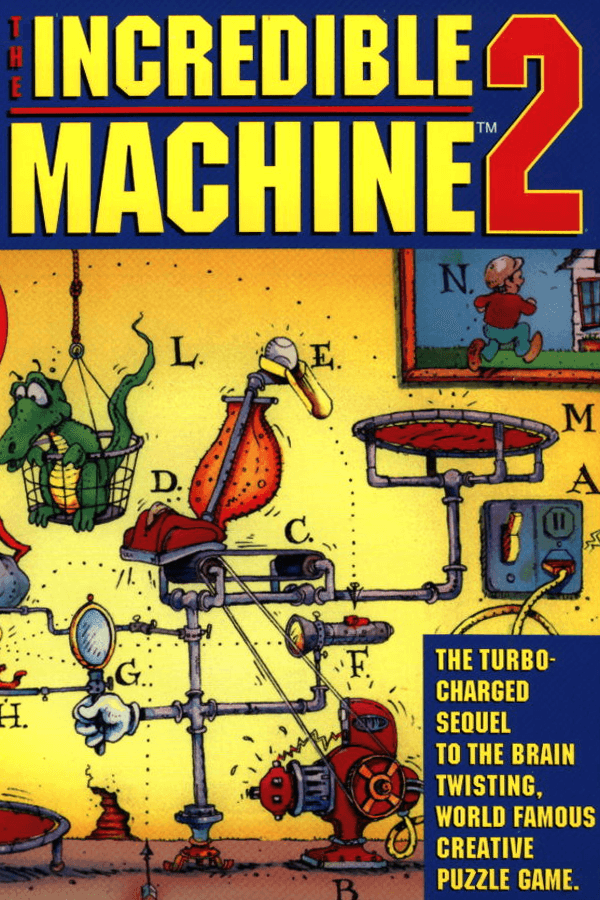
Setting up a bowling ball to drop on a flashlight that triggers a laser, ignite dynamite, and fling a cat across the screen was where The Incredible Machine 2 made complete sense.
You drop a tennis ball onto a light switch. The light turns on, heating a solar panel that powers a small fan. That fan blows a balloon straight into a pair of scissors. The balloon pops, a weight falls, and a bowling ball rolls down a ramp to strike a pool cue. The cue hits a bowling ball into a basket, and the stage clears.
That chain reaction is the core loop designed by Jeff Tunnell Productions. Every puzzle presents a partially built Rube Goldberg invention on a side-view layout with a clean inventory tray. Your job is to select the right items, adjust their positions, and hit the start button to run the simulation.
The system works because the physical rules stay reliable. A super ball always bounces higher than a baseball. Gravity pulls everything downward at a predictable rate unless you mess with the environmental controls. When a machine fails, it is almost always because you misjudged an angle or put a part two pixels off target.
The original release was already clever, but this 1994 sequel expanded the toolset dramatically. Sierra On-Line, Inc. published the title with a vast collection of wacky parts. You get monkeys on treadmills, hamsters in wheels, lava lamps, rototrans-converters, and nitroglycerine.
Some objects add direct interactions with living creatures like cats, including one named Mel Schlemming. Mice run from cats, cats chase mice, and monkeys start pedaling whenever they see an apple. Laying out a chain of animal instincts alongside mechanical gears makes solving puzzles feel like directing a chaotic cartoon.
The level design spans over 150 puzzles organized into clear difficulty tiers:
Beyond the single-player progression, the developers added a head-to-head two-player hotseat mode. Players take turns placing parts to complete a single machine or sabotage each other's path. It makes for one of the stranger competitive modes in puzzle games.
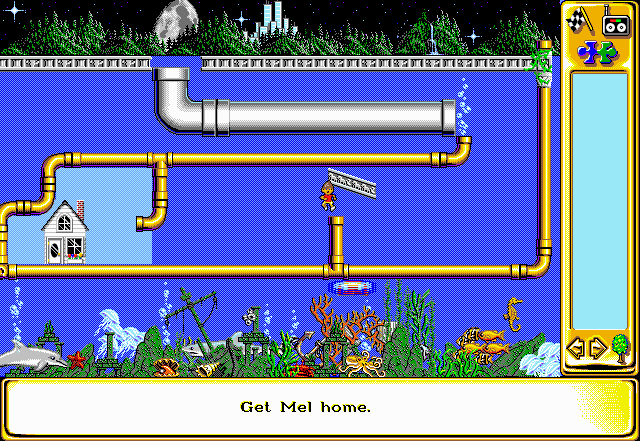
One of the best updates in this release is the dynamic part resizing. Making a bucket larger changes how much weight it can catch. Scaling a trampoline alters how high an object rebounds off it. You can also open the physics settings to manipulate gravity and air pressure, turning standard stages into floaty space experiments.
The custom engine programmer Kevin Ryan built handled these calculations smoothly on standard MS-DOS PCs. RGB Classic Games noted a strange hardware quirk in the software display code. Instead of standard 640x480 VGA, the engine ran at an unusual 640x441 resolution. Most CRT monitors back in 1994 handled it without blinking, though it is a fun technical anomaly.
The media format you chose also changed the soundscape created by composers Tim Clarke and Christopher Stevens. The floppy disk version included four exclusive music tracks that did not make it onto the CD release. Meanwhile, the CD-ROM edition offered full speech audio for Professor Tim alongside redbook CD audio tracks.
When the game arrived in 1994, gaming magazines gave it glowing reviews across the board. Gary Meredith of PC Gamer US stated that "in every way, TIM2 is an improvement" over its predecessor. PC Magazine gave it a perfect 4/4 score, while Computer Gaming World rated it 90% and Power Play scored it 85%.
Reviewers heavily praised the revamped Freeform Workshop mode. The editor lets you build custom puzzles from scratch, set winning conditions, and lock specific parts in place for other players to solve. It effectively made the game infinite for creative fans who wanted to swap custom puzzle files on local bulletin boards.
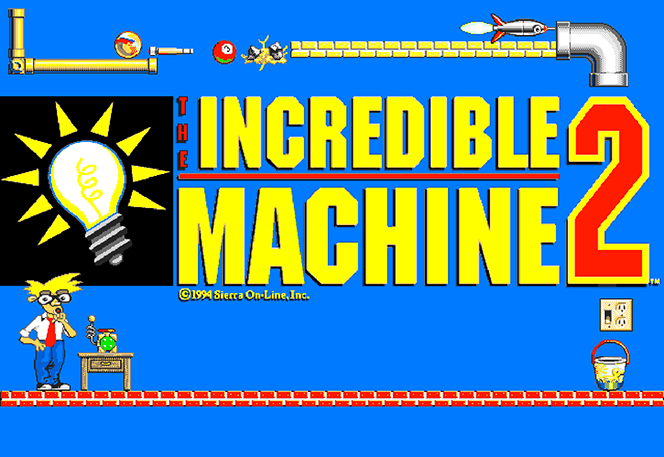
The game even hid fun easter eggs inside the menu system. Selecting specific dates on your computer clock unlocked seasonal holiday graphics for parts. While no traditional cheat codes were built into the game, the unlockable part set gave players plenty of room to experiment.
If there is a flaw in the design, it lies in the sheer trial-and-error nature of the highest difficulty tier. Later levels rely heavily on precise placement where a single millimeter off alignment means starting the engine sequence over again. Yet because resets are instant, hitting the play button to watch your machine crash into dynamite is half the entertainment.
This classic retains its charm because mechanical logic never gets old. Balancing explosives, cats, and laser beams on a canvas feels just as tactile now as it did three decades ago. The interface is clean, the sound effects sell every bounce, and the puzzle designs reward clever experimentation.
You can play The Incredible Machine 2 free in your browser right now. You do not need to hunt down ancient hardware or set up old operating systems to run this classic Sierra On-Line, Inc. release. Everything runs smoothly online in your web browser with nothing to install, letting you jump straight into Professor Tim's laboratory.
Setting up a bowling ball to drop on a flashlight that triggers a laser, ignite dynamite, and fling a cat across the screen was where The Incredible Machine 2 made complete sense.
You drop a tennis ball onto a light switch. The light turns on, heating a solar panel that powers a small fan. That fan blows a balloon straight into a pair of scissors. The balloon pops, a weight falls, and a bowling ball rolls down a ramp to strike a pool cue. The cue hits a bowling ball into a basket, and the stage clears.
That chain reaction is the core loop designed by Jeff Tunnell Productions. Every puzzle presents a partially built Rube Goldberg invention on a side-view layout with a clean inventory tray. Your job is to select the right items, adjust their positions, and hit the start button to run the simulation.
The system works because the physical rules stay reliable. A super ball always bounces higher than a baseball. Gravity pulls everything downward at a predictable rate unless you mess with the environmental controls. When a machine fails, it is almost always because you misjudged an angle or put a part two pixels off target.
The original release was already clever, but this 1994 sequel expanded the toolset dramatically. Sierra On-Line, Inc. published the title with a vast collection of wacky parts. You get monkeys on treadmills, hamsters in wheels, lava lamps, rototrans-converters, and nitroglycerine.
Some objects add direct interactions with living creatures like cats, including one named Mel Schlemming. Mice run from cats, cats chase mice, and monkeys start pedaling whenever they see an apple. Laying out a chain of animal instincts alongside mechanical gears makes solving puzzles feel like directing a chaotic cartoon.
The level design spans over 150 puzzles organized into clear difficulty tiers:
Beyond the single-player progression, the developers added a head-to-head two-player hotseat mode. Players take turns placing parts to complete a single machine or sabotage each other's path. It makes for one of the stranger competitive modes in puzzle games.

One of the best updates in this release is the dynamic part resizing. Making a bucket larger changes how much weight it can catch. Scaling a trampoline alters how high an object rebounds off it. You can also open the physics settings to manipulate gravity and air pressure, turning standard stages into floaty space experiments.
The custom engine programmer Kevin Ryan built handled these calculations smoothly on standard MS-DOS PCs. RGB Classic Games noted a strange hardware quirk in the software display code. Instead of standard 640x480 VGA, the engine ran at an unusual 640x441 resolution. Most CRT monitors back in 1994 handled it without blinking, though it is a fun technical anomaly.
The media format you chose also changed the soundscape created by composers Tim Clarke and Christopher Stevens. The floppy disk version included four exclusive music tracks that did not make it onto the CD release. Meanwhile, the CD-ROM edition offered full speech audio for Professor Tim alongside redbook CD audio tracks.
When the game arrived in 1994, gaming magazines gave it glowing reviews across the board. Gary Meredith of PC Gamer US stated that "in every way, TIM2 is an improvement" over its predecessor. PC Magazine gave it a perfect 4/4 score, while Computer Gaming World rated it 90% and Power Play scored it 85%.
Reviewers heavily praised the revamped Freeform Workshop mode. The editor lets you build custom puzzles from scratch, set winning conditions, and lock specific parts in place for other players to solve. It effectively made the game infinite for creative fans who wanted to swap custom puzzle files on local bulletin boards.

The game even hid fun easter eggs inside the menu system. Selecting specific dates on your computer clock unlocked seasonal holiday graphics for parts. While no traditional cheat codes were built into the game, the unlockable part set gave players plenty of room to experiment.
If there is a flaw in the design, it lies in the sheer trial-and-error nature of the highest difficulty tier. Later levels rely heavily on precise placement where a single millimeter off alignment means starting the engine sequence over again. Yet because resets are instant, hitting the play button to watch your machine crash into dynamite is half the entertainment.
This classic retains its charm because mechanical logic never gets old. Balancing explosives, cats, and laser beams on a canvas feels just as tactile now as it did three decades ago. The interface is clean, the sound effects sell every bounce, and the puzzle designs reward clever experimentation.
You can play The Incredible Machine 2 free in your browser right now. You do not need to hunt down ancient hardware or set up old operating systems to run this classic Sierra On-Line, Inc. release. Everything runs smoothly online in your web browser with nothing to install, letting you jump straight into Professor Tim's laboratory.
How The Incredible Machine 2 is played — the keys the game listens to, grouped by what they do.
Highlighted keys are mapped — hover or tap one to see what it does.
Key remapping is not natively supported and requires DOSBox Mapper. Graphics and sound are configured via INSTALL.EXE.
The on-screen keyboard and gamepad mapping the browser player uses on a phone, a tablet or a controller, as opposed to the real keys above. $PRO members make their own in the player and share them here; anyone can pick one to play with.
Cheat codes, console commands and memory pokes for The Incredible Machine 2 — each one verified and attributed.
Sign in to submitHow The Incredible Machine 2 is played — the keys the game listens to, grouped by what they do.
Highlighted keys are mapped — hover or tap one to see what it does.
Key remapping is not natively supported and requires DOSBox Mapper. Graphics and sound are configured via INSTALL.EXE.
The on-screen keyboard and gamepad mapping the browser player uses on a phone, a tablet or a controller, as opposed to the real keys above. $PRO members make their own in the player and share them here; anyone can pick one to play with.
Cheat codes, console commands and memory pokes for The Incredible Machine 2 — each one verified and attributed.
Sign in to submit