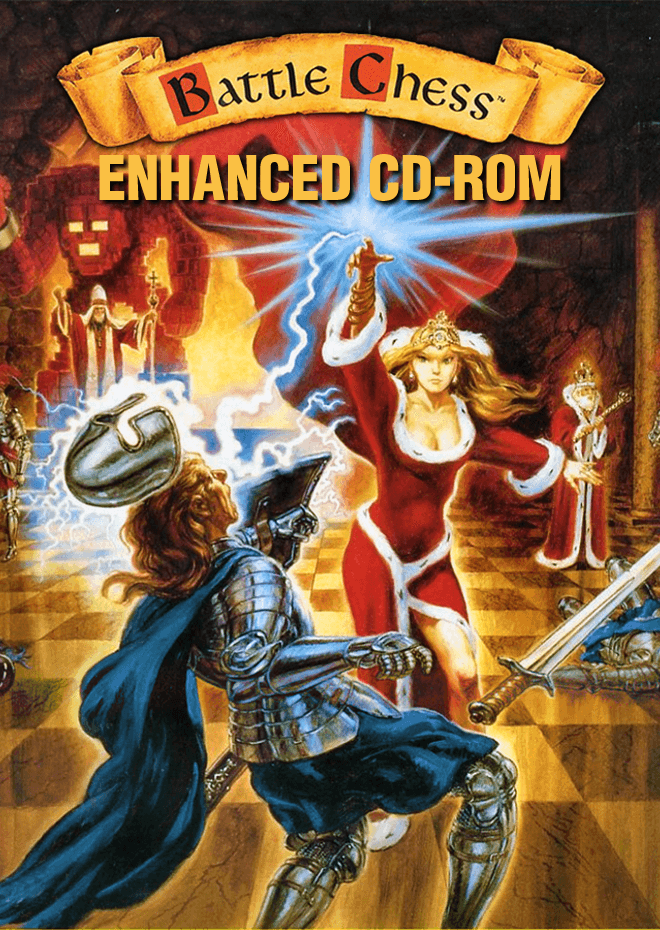
Battle Chess: Enhanced CD-ROM
Streaming build
Checking storage…468 MB
Preload in background
Interplay brought grandmaster strategy to life with Battle Chess: Enhanced CD-ROM, replacing standard wood and plastic pieces with animated fantasy warriors that slice, zap, and crush each other across an isometric board.
The visual spectacle of Battle Chess: Enhanced CD-ROM
In 1988, Interplay Productions founder Brian Fargo and his design team, including Todd J. Camasta and Michael Quarles, set out to turn computer chess into a visual spectator sport. Inspired by the holographic monster chess scene in Star Wars, they matched every standard capture move with a custom animated duel. When a rook takes a knight, it turns into a stone monster and crushes the armorsmith; when a knight fights another knight, they reenact the famous limb-hacking duel from Monty Python and the Holy Grail.
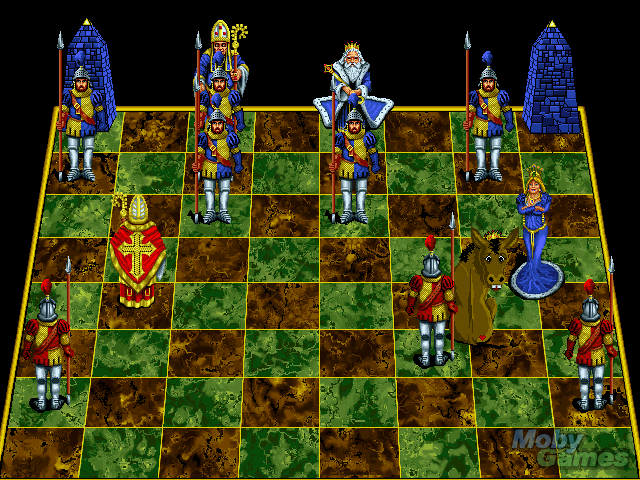
By 1992, the studio pushed the concept onto the emerging Multimedia PC standard with the Battle Chess: Enhanced CD-ROM edition for MS-DOS. This upgrade replaced the older EGA assets with high-detail 256-color SVGA artwork and expanded the sprite animation frames. Watching a bishop pull out a pistol to shoot a king like Harrison Ford in Raiders of the Lost Ark never gets old, but the real draw for newcomers was the addition of a fully voiced, narrated tutorial that taught board control and legal moves aloud.
Multimedia CD audio meets grandmaster tactics
The jump to CD-ROM hardware changed how the game sounded as much as how it looked. While the original floppy disk release relied on crude PC speaker bleeps or early Sound Blaster sound cards for digitized voice clips, this edition loaded full Redbook CD audio tracks directly from the disc. Every chess piece has its own background theme, and specific capture scenes play custom symphonic battle motifs that give simple pawn exchanges a dramatic orchestral backing.
Underneath the slapstick violence sits a capable chess engine capable of challenging casual players and experienced tacticians alike. You can switch between the full 3D isometric view and a clean 2D top-down board if you need to plan positional sacrifices without visual clutter. Interplay later adapted this underlying engine for spin-offs like Battle Chess II: Chinese Chess and the sci-fi themed Battle Chess 4000, though the medieval fantasy aesthetic of the original is the one everyone remembers.
When slapstick comedy slows down the game
The main complaint players had back in 1992, which holds true today, is the pacing of long matches. Every single capture forces you to watch two pieces walk across the grid, exchange blows, and play out a ten-second death sequence. When you are deep in a game of heavy trade-offs, waiting for six consecutive pawn captures to finish can feel agonizingly slow compared to standard 2D chess software.
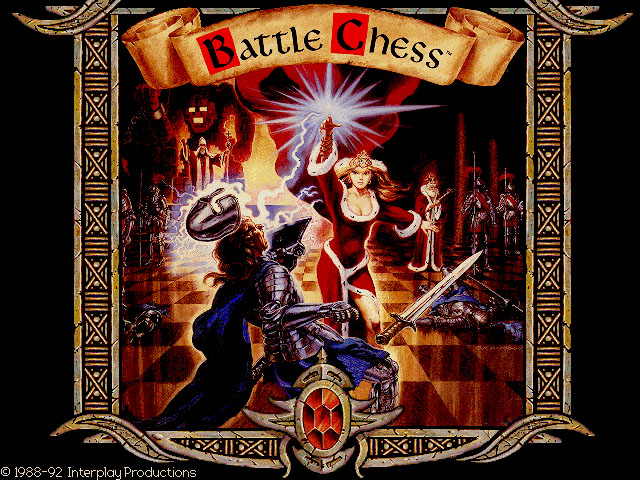
You can toggle animations off or jump to the 2D view, but doing so strips away the primary reason to boot up this specific release. Another modern headache comes from launch scripts on modern storefronts: launcher shortcuts frequently default to running the original 1988 low-resolution floppy executable rather than the SVGA CD-ROM binaries. Checking your display configuration before launching a match ensures you actually get the 256-color assets and full audio tracks you paid to see.
Playing Battle Chess: Enhanced CD-ROM today
If you enjoy strategy games or want to study 1992 DOS releases, this title offers a fun twist on traditional chess. The computer AI takes its time thinking on higher difficulty levels, giving you room to analyze your pawn structures and plan your attacks. While serious grandmasters might prefer silent board analysis tools, the goofy charm of seeing a queen obliterate an overextended knight still holds up exceptionally well.
You can play Battle Chess: Enhanced CD-ROM online right here in your browser, complete with full animated fights and CD audio support. Start a fresh game against the computer, keep an eye on your king's flank, and move a knight into combat right away to see how the slapstick combat routines play out on screen.
How Battle Chess: Enhanced CD-ROM is played — the keys the game listens to, grouped by what they do.
- Action
- Interface
- Left click — Select / Move piece
Highlighted keys are mapped — hover or tap one to see what it does.
Players' controls
Touch and gamepad controls
The on-screen keyboard and gamepad mapping the browser player uses on a phone, a tablet or a controller, as opposed to the real keys above. $PRO members make their own in the player and share them here; anyone can pick one to play with.
Make your own touch controlsPRO
- 1Open the editorSign in below, then pick what to make. The game starts with the editor open over it.
- 2Place your keysAdd keys and drag them where your thumbs rest, or map a controller's buttons. Test plays the game with them; Save keeps them, and you play with them from then on.
- 3Share themShare them right after saving in the game, or name and share them here. Players vote, and the best become this game's controls for everyone.
Go PROSee how it worksSign in+20 XP for sharing · +50 XP if yours become the game's own
- The game's own controlsKeyboardGamepadWhat every player starts with.In use
2 screenshots
From the archive
No gameplay video yet
No gameplay video for Battle Chess: Enhanced CD-ROM yet. Sign in to add one.
No reviews yet
Tell the community what you think of Battle Chess: Enhanced CD-ROM. Reviews are public and tied to your username.
No archived manuals for Battle Chess: Enhanced CD-ROM yet
No manuals archived for this title yet. Sign in to upload the first scan.
Cheat codes, console commands and memory pokes for Battle Chess: Enhanced CD-ROM — each one verified and attributed.
Sign in to submitNo cheats yet for this title
Know a working cheat, poke or trainer? Add it with the button above. Moderators check every entry before it goes live.
No archived soundtrack for Battle Chess: Enhanced CD-ROM yet
No soundtrack archived for this title yet. Sign in to upload the first rip.
No save states for Battle Chess: Enhanced CD-ROM yet
No save states for this title yet. Sign in to share one.
Discussions
Sign in to post- Threads0
- Total posts0
- Online now6
Community · Battle Chess: Enhanced CD-ROM
Who's contributing, and what's new
- Reviews0
- Threads0
- Uploadsapproved0
- Contributors0
Recent activity
Nothing here yet
Reviews, discussion threads and approved uploads appear here as members add them.