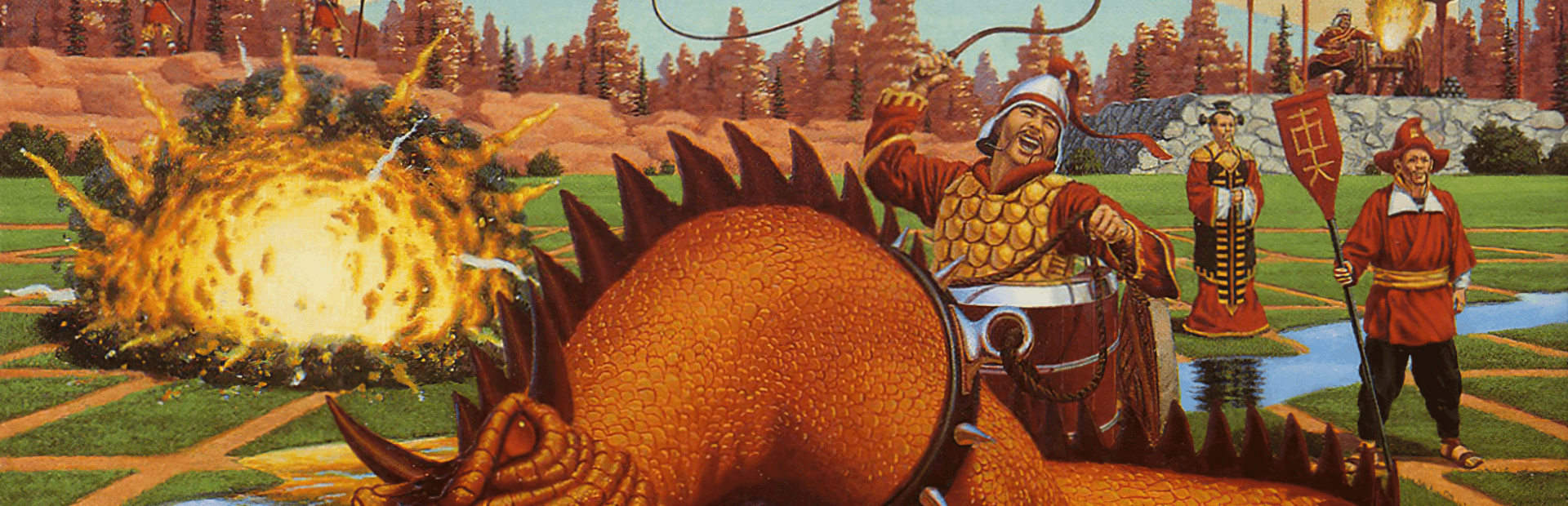
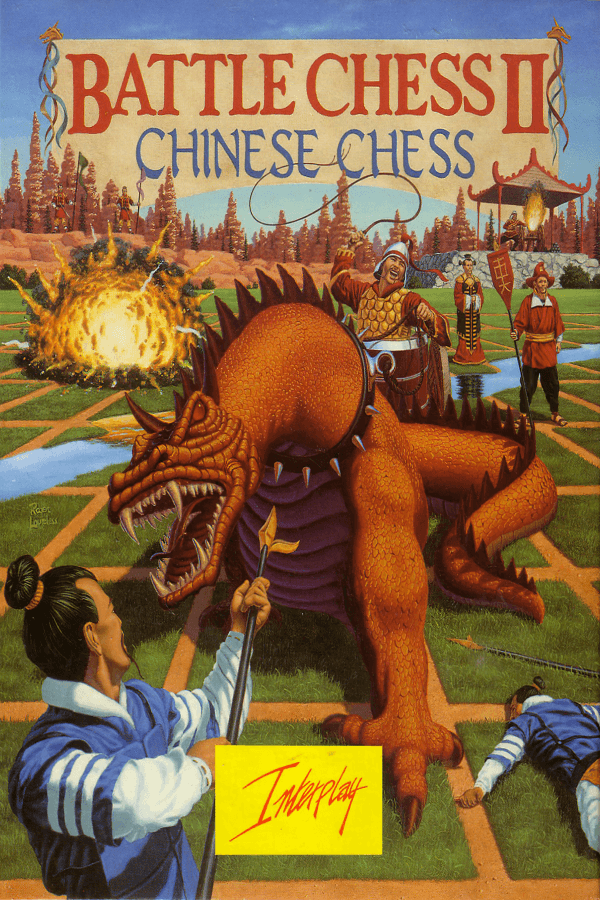

Setting up Battle Chess II: Chinese Chess for the first time means watching a dragon spit fire across a central river to incinerate an opposing chariot, assuming you can decipher the rules of Xiangqi before the AI wipes out your general.
Xiangqi completely reshapes the standard board game strategy
The original Battle Chess hooked players by turning standard chess captures into miniature fantasy brawls, but this follow-up abandons European rules entirely. Interplay Productions brought traditional Xiangqi to the PC in 1990, replacing familiar rooks and knights with chariots, ministers, counsellors, and cannons. The entire conflict takes place across a nine-by-ten grid divided by a central river that limits where certain units can tread, fundamentally changing how you construct an attack.
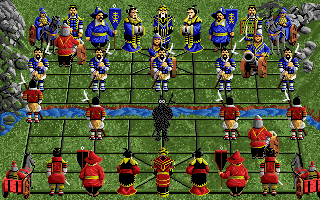
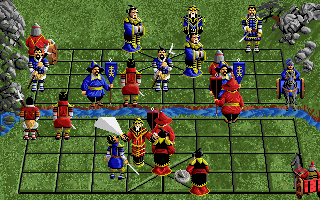
The decision loop in Xiangqi relies heavily on line-of-sight positioning rather than simple leapfrogging. Cannons are the most striking addition to the board, as they can only capture an enemy by leaping over exactly one intervening piece along a straight row or column. If your king, named the General in this variation, sits trapped inside his nine-point palace box, an unexpected cannon shot fired from across the river will end the match before you even realize you exposed a screen piece. Moving pieces shows green highlight markers for valid steps and red markers for blocked paths, which helps keep mouse clicks precise when navigating the isometric view.
When two units collide, the game shifts into a dramatic isometric combat screen where the abstract rules turn into physical cartoon violence. Counsellors crush low-tier pawns with massive wooden mallets, cannons open fire on opponents crouching behind cover, and dragon units barbecue rival soldiers on the spot. If you prefer pure tactical clarity without waiting through slaughter sequences, toggling the 2D top-down perspective replaces the animated figures with clean wooden tiles stamped with traditional ideograms or western letter tags.
Sluggish combat animations turn quick tactical skirmishes into a waiting game
The visual spectacle that sells the concept is also the exact element that slows match pacing to a crawl. Watching a counsellor swing his mallet for the twentieth time loses its charm quickly, especially when playing against a high-difficulty computer opponent that already takes several seconds to compute its turn. On original hardware using the standard PC internal speaker, sound effects were harsh pops and crackles, though running with Tandy 3-voice or CGA/EGA setups offered a minor upgrade in clarity.
When you run the original executable today under emulators, sound synthesis often turns garbled or drops entirely if the software attempts to drive an old PC speaker setup. Combat animations also suffer from timing issues, sometimes running at bizarre hyper-speeds or stalling completely while unit frames process. Playing via hotseat with a friend sitting at the same keyboard avoids the sluggish AI wait times, but the mechanical pacing of captures drags down long matches.
For players who want to jump straight into multiplayer without sitting at the same monitor, the title supported direct modem and serial connections. That feature made this strategy / tactics entry surprisingly flexible for remote play at the time, provided both players shared identical manual copy protection codes to boot the disk.
Interplay packed the disk with odd command-line flags and strict manual checks
Before launching a game, players had to pass a manual lookup check disguised as historical chess notation. Appendix A contained specific fictional game logs, like "Morphy vs. Ching Ti", where you had to find a designated coordinate move to verify ownership. Getting the answer wrong kicked you straight back to the DOS prompt, a frustrating reality for anyone playing with a lost physical manual.
The developers at Interplay Productions, Inc. also hid a bizarre customization feature inside the executable. Launching the game through the command prompt with the /ducks parameter swapped standard system interface graphics for crude alternate icons. The standard waiting cursor transformed into a woman's torso, while placing an opponent in check rendered a duck sitting on top of a green checkmark.
Interplay organized piece movement rules strictly around classical Xiangqi, including these key unit restrictions:
- The General and Counsellors can never leave the boundaries of their nine-point palace area.
- Ministers act as defensive elephants and are completely forbidden from crossing the central river.
- Pawns move only one square forward until crossing the river, after which they gain the ability to step sideways.
- Chariots operate identically to Western rooks, sweeping straight across open rows and columns.
What period reviewers got right and wrong about this tactical follow-up
Magazines in 1990 were divided on whether learning an entirely new board game was worth the purchase price. In Computer Gaming World, reviewer Ken St. Andre noted the title was technically solid but felt it lacked the pure fun factor of its predecessor, largely because Western players were unfamiliar with the rules of Xiangqi. On the other hand, Chris Jenkins gave it 895/1000 in ACE, praising it as a great gateway for anyone wanting to master a novel take on chess.
European press leaned heavily into praising the artwork and presentation. Amiga Action awarded it 86 percent while citing its high polish, and Amiga Format reviewer Neil Jackson called the piece combat animations attractive and highly amusing. Info Magazine critic Tom Malcolm proved harder to impress, giving it 3 out of 5 stars and stating he was far less entertained by this entry than the original medieval layout.
The magazine press was right about the steep learning curve, but they underestimated how well the mechanics hold up once you learn how cannons function. The structural friction does not stem from bad rules, but rather from forcing a traditional board game to run through heavy disk animation cycles. If you treat it as a curious tactical puzzle rather than a high-speed arcade game, the strategic depth becomes obvious within a few rounds.
Why you should play Battle Chess II: Chinese Chess online today
If you want to spend an evening exploring early digital board adaptations, this release offers an authentic look at how developers tried to modernize ancient strategy rules. The core mechanics reward careful planning, punishing anyone who pushes their General out of position or ignores cannon jump lines across the central river. Anyone who enjoys abstract tactics or historical variants will find plenty of depth once they learn to read the board layout.
You can play Battle Chess II: Chinese Chess free in your browser right now, with no installation or system tweaking required. When you start your first match, toggle the 2D top-down view for a few turns to memorize how cannons leap across intervening units, then switch back to the 3D view to watch the dragon animations play out. Taking down the enemy General on your first attempt requires mastering river choke points early, so keep your ministers guarded and do not rush your pawns forward without chariot cover. Experience this classic Battle Chess II: Chinese Chess MS-DOS game straight from your browser tab and see if your Xiangqi tactics hold up against the computer.