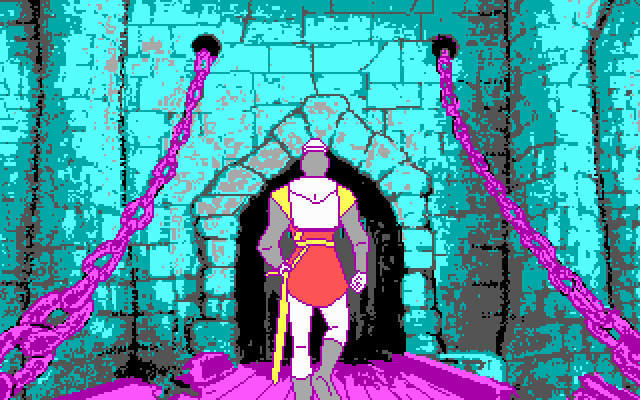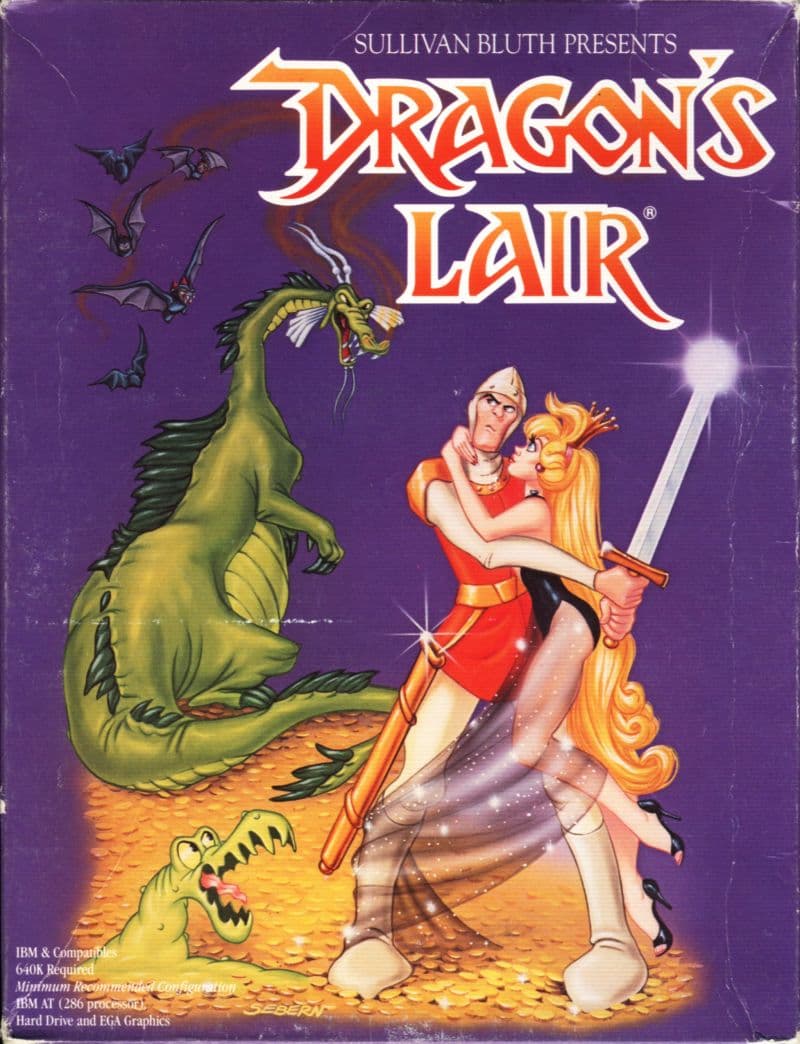
The 1989 MS-DOS release of Dragon's Lair tried to squeeze high-end laserdisc animation onto three floppy disks, leaving PC players with ten frantic scenes of pure trial and error.
In 1983, the original arcade cabinet used a Z80 processor paired with a LaserDisc player. That setup bypassed standard blocky pixel graphics by running full cartoon footage created by former Disney animator Don Bluth and his partners Gary Goldman and John Pomeroy. Audio designer Rick Dyer worked alongside them, filling the scenes with sound effects recorded at EFX Systems on a Moog synthesizer and an E-mu Emulator. The arcade cabinet was a massive hit, eventually earning a display spot at the Smithsonian museum.
Bringing that visual spectacle home to IBM computers in 1989 required massive compromises. Developer and publisher Sullivan Bluth Interactive Media, Inc. had to compress the original video down to fit on three 3.5-inch floppy disks. They digitized the original animation into EGA and VGA graphics, cutting the scope significantly. Because of those storage limits, this disk version only includes the first half of the arcade journey, ending after Dirk enters the keep to confront the dragon.
Playing this adventure means controlling Dirk the Daring as he attempts to rescue Princess Daphne from Singe the dragon and the wizard Mordroc. You watch the action from a cinematic camera angle while holding your hand over the movement keys and sword button. The game does not offer real-time control over Dirk's steps. Instead, it runs on early quick-time events that demand specific inputs at exact split seconds based on visual cues.
Miss a prompt by a fraction of a second, and Dirk instantly collapses into a pile of bones. You then restart the scene and try again. The entire campaign relies on strict memorization rather than reactive reflexes. The ten distinct scenes in this floppy release often play out in fixed or mirrored orders, forcing you to execute a rigid sequence of actions:

The technical downgraded visuals were described by contemporary reviewers as clunky compared to the smooth arcade source. Players quickly realized that even when they knew the correct solution, subtle input desynchronization could still trigger an unexpected death. The timing windows are brutally tight. This turned the experience into a repetitive marathon of failure until every single input was locked into muscle memory.
The release was also famous for its overprotective copy protection system. Before you could even start playing, the game forced you to look up a Game Entry Code. You had to match colors on a sheet printed with 790 individual security codes included inside the manual. Ironically, that same printed manual included a cheat sheet listing every scene in sequence. It told you what obstacles were coming next, though it intentionally left out the exact timing and key inputs needed to survive them.
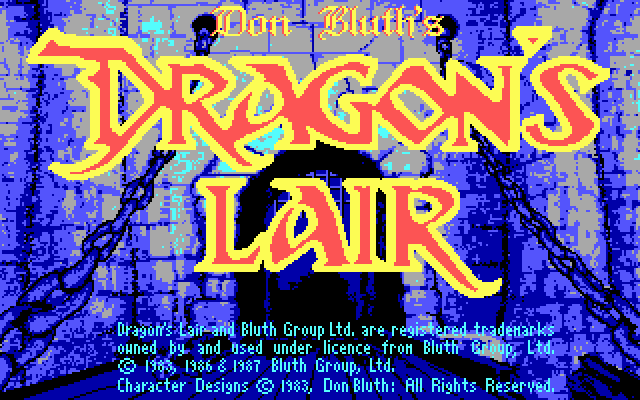
While later ports spread to systems like the Amiga, Macintosh, and 3DO, this DOS floppy release shows how hard developers pushed early PC hardware to replicate full-motion video before CD-ROM drives became standard. The graphics drop to a much lower resolution than the original animation, but the expressive character art still comes through. If you enjoy reaction-based memory tests, it is worth testing your patience against Dirk's instant deaths.
You can play Dragon's Lair online free in your browser right now with no setup needed. When you launch this Dragon's Lair MS-DOS game, pay attention to the flashing cues during the opening hallway scene. Try tapping your movement keys early rather than late to get a feel for the strict input windows. Running Dragon's Lair free in your browser lets you experience one of the most famous arcade conversions of the 1980s without fussing with security code sheets or swapping floppy disks.
The 1989 MS-DOS release of Dragon's Lair tried to squeeze high-end laserdisc animation onto three floppy disks, leaving PC players with ten frantic scenes of pure trial and error.
In 1983, the original arcade cabinet used a Z80 processor paired with a LaserDisc player. That setup bypassed standard blocky pixel graphics by running full cartoon footage created by former Disney animator Don Bluth and his partners Gary Goldman and John Pomeroy. Audio designer Rick Dyer worked alongside them, filling the scenes with sound effects recorded at EFX Systems on a Moog synthesizer and an E-mu Emulator. The arcade cabinet was a massive hit, eventually earning a display spot at the Smithsonian museum.
Bringing that visual spectacle home to IBM computers in 1989 required massive compromises. Developer and publisher Sullivan Bluth Interactive Media, Inc. had to compress the original video down to fit on three 3.5-inch floppy disks. They digitized the original animation into EGA and VGA graphics, cutting the scope significantly. Because of those storage limits, this disk version only includes the first half of the arcade journey, ending after Dirk enters the keep to confront the dragon.
Playing this adventure means controlling Dirk the Daring as he attempts to rescue Princess Daphne from Singe the dragon and the wizard Mordroc. You watch the action from a cinematic camera angle while holding your hand over the movement keys and sword button. The game does not offer real-time control over Dirk's steps. Instead, it runs on early quick-time events that demand specific inputs at exact split seconds based on visual cues.
Miss a prompt by a fraction of a second, and Dirk instantly collapses into a pile of bones. You then restart the scene and try again. The entire campaign relies on strict memorization rather than reactive reflexes. The ten distinct scenes in this floppy release often play out in fixed or mirrored orders, forcing you to execute a rigid sequence of actions:

The technical downgraded visuals were described by contemporary reviewers as clunky compared to the smooth arcade source. Players quickly realized that even when they knew the correct solution, subtle input desynchronization could still trigger an unexpected death. The timing windows are brutally tight. This turned the experience into a repetitive marathon of failure until every single input was locked into muscle memory.
The release was also famous for its overprotective copy protection system. Before you could even start playing, the game forced you to look up a Game Entry Code. You had to match colors on a sheet printed with 790 individual security codes included inside the manual. Ironically, that same printed manual included a cheat sheet listing every scene in sequence. It told you what obstacles were coming next, though it intentionally left out the exact timing and key inputs needed to survive them.

While later ports spread to systems like the Amiga, Macintosh, and 3DO, this DOS floppy release shows how hard developers pushed early PC hardware to replicate full-motion video before CD-ROM drives became standard. The graphics drop to a much lower resolution than the original animation, but the expressive character art still comes through. If you enjoy reaction-based memory tests, it is worth testing your patience against Dirk's instant deaths.
You can play Dragon's Lair online free in your browser right now with no setup needed. When you launch this Dragon's Lair MS-DOS game, pay attention to the flashing cues during the opening hallway scene. Try tapping your movement keys early rather than late to get a feel for the strict input windows. Running Dragon's Lair free in your browser lets you experience one of the most famous arcade conversions of the 1980s without fussing with security code sheets or swapping floppy disks.
How Dragon's Lair is played — the keys the game listens to, grouped by what they do.
Highlighted keys are mapped — hover or tap one to see what it does.
Keyboard movement keys are not specified in the manual snippets beyond general keypad/keyboard support.
The on-screen keyboard and gamepad mapping the browser player uses on a phone, a tablet or a controller, as opposed to the real keys above. $PRO members make their own in the player and share them here; anyone can pick one to play with.
Cheat codes, console commands and memory pokes for Dragon's Lair — each one verified and attributed.
Sign in to submitHow Dragon's Lair is played — the keys the game listens to, grouped by what they do.
Highlighted keys are mapped — hover or tap one to see what it does.
Keyboard movement keys are not specified in the manual snippets beyond general keypad/keyboard support.
The on-screen keyboard and gamepad mapping the browser player uses on a phone, a tablet or a controller, as opposed to the real keys above. $PRO members make their own in the player and share them here; anyone can pick one to play with.
Cheat codes, console commands and memory pokes for Dragon's Lair — each one verified and attributed.
Sign in to submit