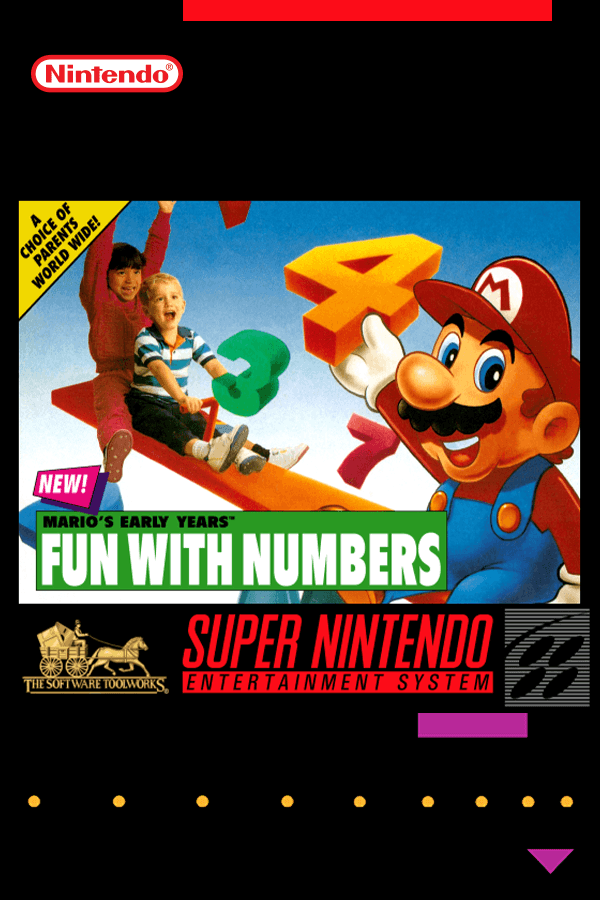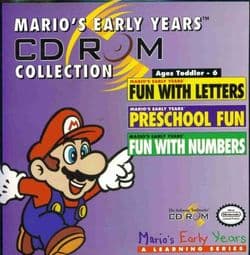
Mario's Early Years Collection
aka Mario's Early Years! CD-ROM Collection
Checking…
If you loaded Mario's Early Years Collection expecting to sprint through Dinosaur Land, you were instantly greeted by a oversized mouse pointer floating over a silent title screen. Software Toolworks stripped out every single koopa, pit, and jump button, replacing Mario's boots with point-and-click matching puzzles designed for toddlers.
Selling Super Mario World to toddlers without the jumping
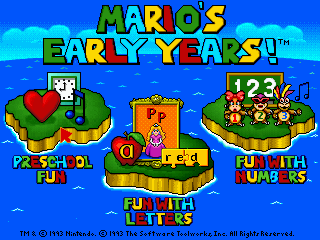
Parents in 1995 wanted computer software that taught basic skills, and software houses realized Nintendo characters were the easiest way to catch a buyer's eye on store shelves. The Software Toolworks brought in child development specialists and speech teachers to design a curriculum for children under six years old, wrapping early childhood lessons around graphics lifted straight from the Super NES. What came out of that work was three distinct discs put into one 3-in-1 bundle: Fun with Letters, Preschool Fun, and Fun with Numbers.
In the UK, those individual releases were renamed Mario Teaches Words, Mario Teaches Sums, and Mario's Playschool, but the MS-DOS compilation gathers all three onto a single CD-ROM. You choose to guide Mario or Princess Toadstool across themed maps, while Luigi and Yoshi stand around in the background to react when you solve an activity. If you spent your youth typing on PCs, you might remember that the software manual hid a set of keyboard shortcuts that almost nobody read: hitting the Spacebar snaps your pointer straight to the next clickable object on screen, Shift and Spacebar jumps back to the previous target, the arrow keys move the hand slowly, and Alt+O pulls up the options menu.
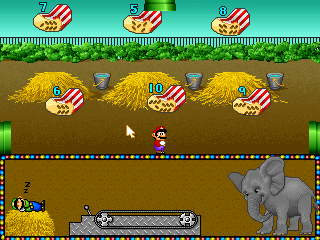
Exploring Mario's Early Years Collection across its map screen
The entire loop of this educational game takes place across specialized islands selected from a main map hub screen. Selecting Shape World, Counting Mario, Body World, Listening World, Opposite World, Color World, or Sing Song Fun World drops your character into a static backdrop to handle basic identification tasks. You click on a geometric shape, a primary color, or a body part on screen, and the game rewards correct choices with simple character animations paired with voiced audio clips.
There are no high scores, time limits, or game over screens, which means the whole affair relies entirely on passive matching. Rob Wallace and Sam Powell handled the sound presentation, adapting music tracks directly from 16-bit console files to play over early PC sound hardware. Because the design caters exclusively to pre-readers, the software leaves zero room for failure, letting young players click every incorrect answer until they hit the right one by accident.
Audio setups and the odd mechanics of Mario's Early Years Collection
Installing this 1995 release meant dropping down to the MS-DOS command prompt to configure your sound hardware setup. Selecting standard Sound Blaster options gave you clean voice samples alongside simple synth music, but running the software through different MIDI setups introduced unexpected audio glitches. Sound cards configured for Roland MT-32 hardware often suffer from wrong MIDI channels, causing inappropriate instruments to play during activities while missing crucial background notes entirely.
The visual presentation reuses enemy and environment assets from console games, but repurposes them into completely passive scenery elements. Buzzy Beetles, pipes, and cloud platforms exist only as background dressing while your cursor hovers over target letters or numbers. That disconnect between Mario's action roots and static classroom matching led many older players at the time to describe the game as looking empty, with familiar characters staring blankly at the screen while waiting for the next mouse click.
Why Mario's Early Years Collection belongs in your browser today
As a traditional game, this package offers no mechanical depth, platforming challenges, or secret levels to unlock. What The Software Toolworks put together is a historical curiosity that shows how far computer publishers were willing to push licensed characters into early childhood learning tools. The voiced interactions and bright graphics worked fine for three-year-olds in 1995, even if anyone looking for actual platforming will find the point-and-click routine completely dry within minutes.
You can play Mario's Early Years Collection online today without tracking down original installation disks or fighting with vintage sound card IRQ settings. The original presentation holds up fine as a quick slice of mid-nineties edutainment history, even if the interactive elements never stretch past basic preschool matching. You can experience this Mario's Early Years Collection MS-DOS game free in your browser right now, requiring no installation or complex setup to explore all three component titles.
How Mario's Early Years Collection is played — the keys the game listens to, grouped by what they do.
- Movement
- Interface
Highlighted keys are mapped — hover or tap one to see what it does.
The game relies primarily on mouse controls. Keyboard controls move and interact with the pointer.
Players' controls
Touch and gamepad controls
The on-screen keyboard and gamepad mapping the browser player uses on a phone, a tablet or a controller, as opposed to the real keys above. $PRO members make their own in the player and share them here; anyone can pick one to play with.
Make your own touch controlsPRO
- 1Open the editorSign in below, then pick what to make. The game starts with the editor open over it.
- 2Place your keysAdd keys and drag them where your thumbs rest, or map a controller's buttons. Test plays the game with them; Save keeps them, and you play with them from then on.
- 3Share themShare them right after saving in the game, or name and share them here. Players vote, and the best become this game's controls for everyone.
Go PROSee how it worksSign in+20 XP for sharing · +50 XP if yours become the game's own
- The game's own controlsKeyboardGamepadWhat every player starts with.In use
2 screenshots
From the archive
No gameplay video yet
No gameplay video for Mario's Early Years Collection yet. Sign in to add one.
No reviews yet
Tell the community what you think of Mario's Early Years Collection. Reviews are public and tied to your username.
No archived manuals for Mario's Early Years Collection yet
No manuals archived for this title yet. Sign in to upload the first scan.
Cheat codes, console commands and memory pokes for Mario's Early Years Collection — each one verified and attributed.
Sign in to submitNo cheats yet for this title
Know a working cheat, poke or trainer? Add it with the button above. Moderators check every entry before it goes live.
No archived soundtrack for Mario's Early Years Collection yet
No soundtrack archived for this title yet. Sign in to upload the first rip.
No save states for Mario's Early Years Collection yet
No save states for this title yet. Sign in to share one.
Discussions
Sign in to post- Threads0
- Total posts0
- Online now6
Community · Mario's Early Years Collection
Who's contributing, and what's new
- Reviews0
- Threads0
- Uploadsapproved0
- Contributors0
Recent activity
Nothing here yet
Reviews, discussion threads and approved uploads appear here as members add them.